
On this page
Token and OAuth 2.0 app rate limits
Okta lets you set specific rate limits for individual API tokens and OAuth 2.0 apps to prevent one client from consuming all org-wide capacity. This prevents one client from using the entire org-wide rate limit for an endpoint and causing widespread disruptions for other critical integrations.
By default, each API token or OAuth 2.0 app can use up to 50% of a bucket's total rate limit. This doesn’t guarantee a minimum rate limit for a token or app, but does provide a ceiling. For example, if your org-wide limit for the /api/v1/logs bucket is 120 requests per minute, a single API token can only make 60 requests per minute to that endpoint before being rate-limited. This default behavior acts as a crucial safeguard in environments with multiple integrations.
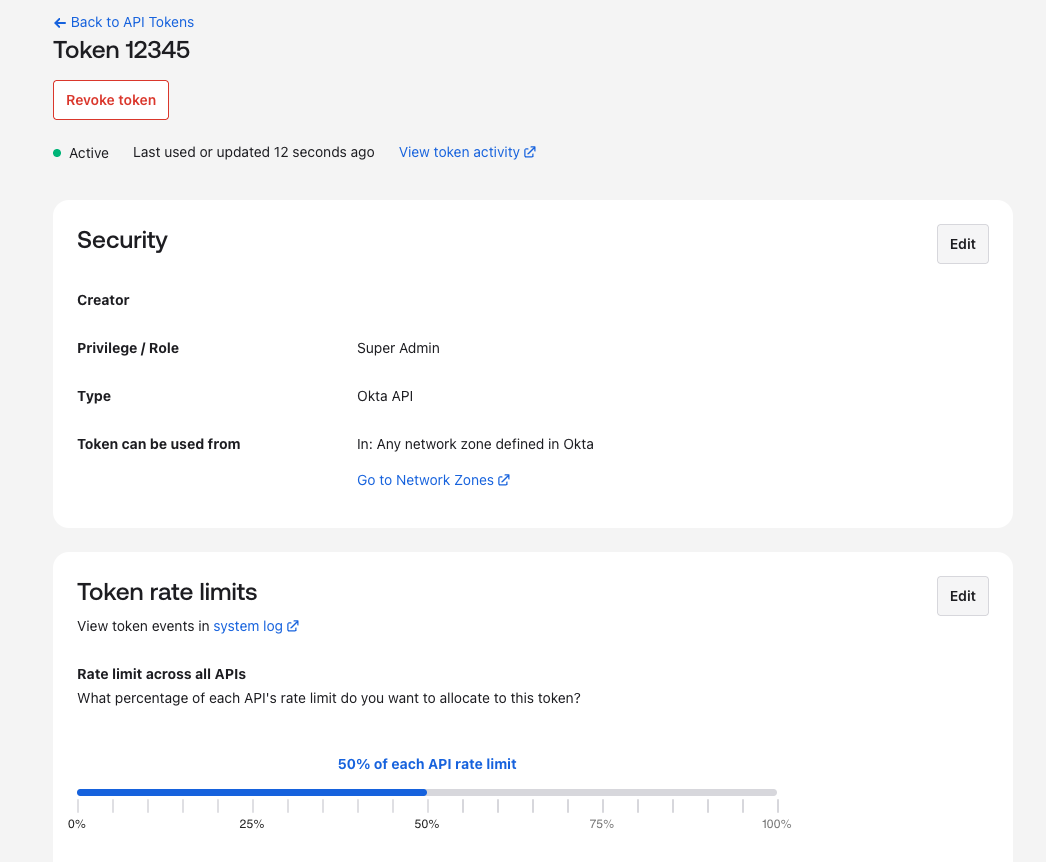
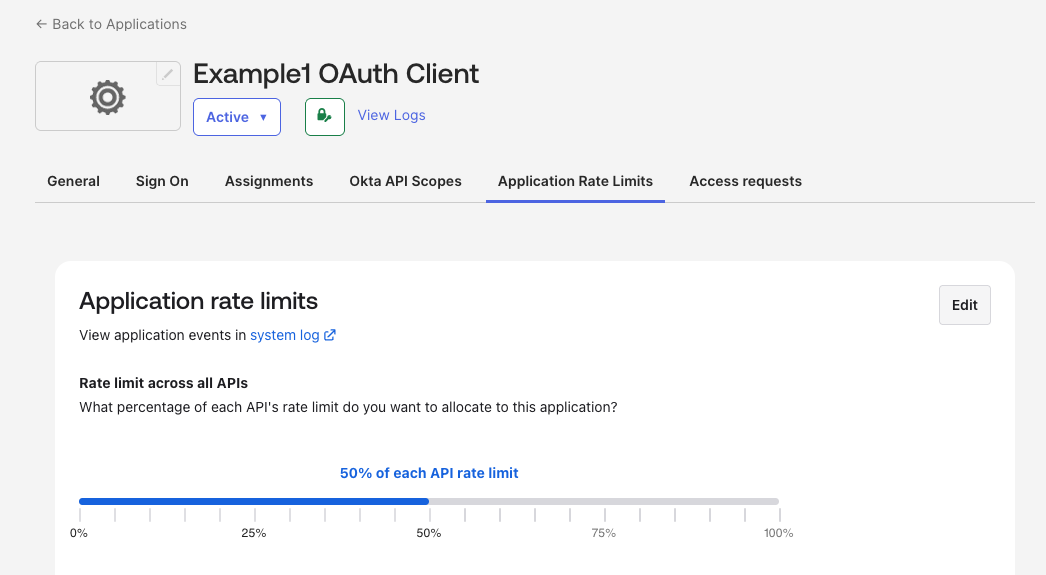
You can change how much rate limit each API token or OAuth 2.0 app can use in the Admin Console or with the principal rate limits API (opens new window).
Configuring rate limits by token in the Admin Console:
Configuring rate limits by OAuth 2.0 app in the Admin Console:
Understanding capacity allocation
The sum of the capacity percentages for all your tokens and apps doesn’t need to equal 100%. This provides flexibility in how you manage your total rate limit pool.
If the sum is over 100%: This creates a first-come, first-serve model for the shared portion of the rate limit. For example, if two tokens each have a 75% ceiling for a bucket with a 1000 requests per minute limit, the total pool for both is still capped at 1000. If one token uses 750 requests in a minute, it consumes its full allocation, leaving only 250 requests available for the second token, even though that token’s individual capacity is also 750.
If the sum is under 100%: This effectively creates a reserved buffer. For example, if two tokens each have a 40% capacity, the remaining 20% of the org-wide limit is held in reserve and can't be consumed by these specific clients. This can be a useful strategy for ensuring there’s always capacity for unassigned tokens or unanticipated traffic.
Monitoring and notifications
It's important to understand that alerts (email and dashboard notifications) are triggered based on the consumption of the overall quota assigned to an org-scoped bucket, not the allocated capacity of an individual API token or app.
These violation events are, however, recorded in the Okta System Log. Monitor the System Log for rate limit violations to identify if a specific token or app frequently hits its configured capacity.
