
On this page
Client-based rate limits
Client-based rate limiting provides granular, targeted protection for browser-based unauthenticated endpoints used during an app's access flow. It helps isolate noisy neighbors—such as a misconfigured app, a runaway script, or a bad actor—preventing them from consuming your entire org-wide rate limit and impacting other users and apps.
This framework applies to:
OAuth 2.0 apps, using a combination of client ID, IP address, and device identifier to enforce a limit. This applies to the
/authorizeendpoint for both the Okta org authorization server and any custom authorization servers.Non-OAuth 2.0 apps (for example, those using the
/login/login.htmendpoint in Classic Engine), which use the IP address and device identifier for limiting.Okta Identity Engine, which uses this framework for multiple API entry points that implement the Interaction Code grant type.
Note: The endpoints to which this feature applies all have browser-based interaction patterns.
Client-based rate limits specifically target browser-based unauthenticated endpoints (such as /authorize) using a combination of client ID, IP address, and device identifier, with a default limit of 60 requests per client per minute. OAuth 2.0 app and token rate limits, on the other hand, apply to individual API tokens and OAuth 2.0 apps across all endpoints. These rate limits default to 50% of an org's bucket rate limit to prevent a single client from consuming all org-wide capacity. This percentage is configurable, helping isolate different teams' apps. See Token and OAuth 2.0 app rate limits.
Benefits of client-based rate limits
This feature is helpful in a few key scenarios:
Isolating runaway traffic: With multiple OAuth 2.0 apps managed by different teams, client-based rate limits isolate "noisy neighbors" such as misconfigured apps or runaway scripts during authentication flows. This prevents one malfunctioning app from causing rate limit violations for all the others. By contrast, OAuth 2.0 app and token limits prevent API abuse across the entire platform.
Enforcing best practices: It encourages development teams to implement proper error handling and avoid issues like redirect loops.
Protecting production environments: It provides a crucial layer of defense against synthetic tests or batch jobs that can make an excessive number of requests in a short period.
How it works: scenarios
The best way to understand the impact is through examples. By default, each unique client receives a quota of 60 requests per minute and a maximum of five concurrent requests.
Scenario 1: Users on different networks
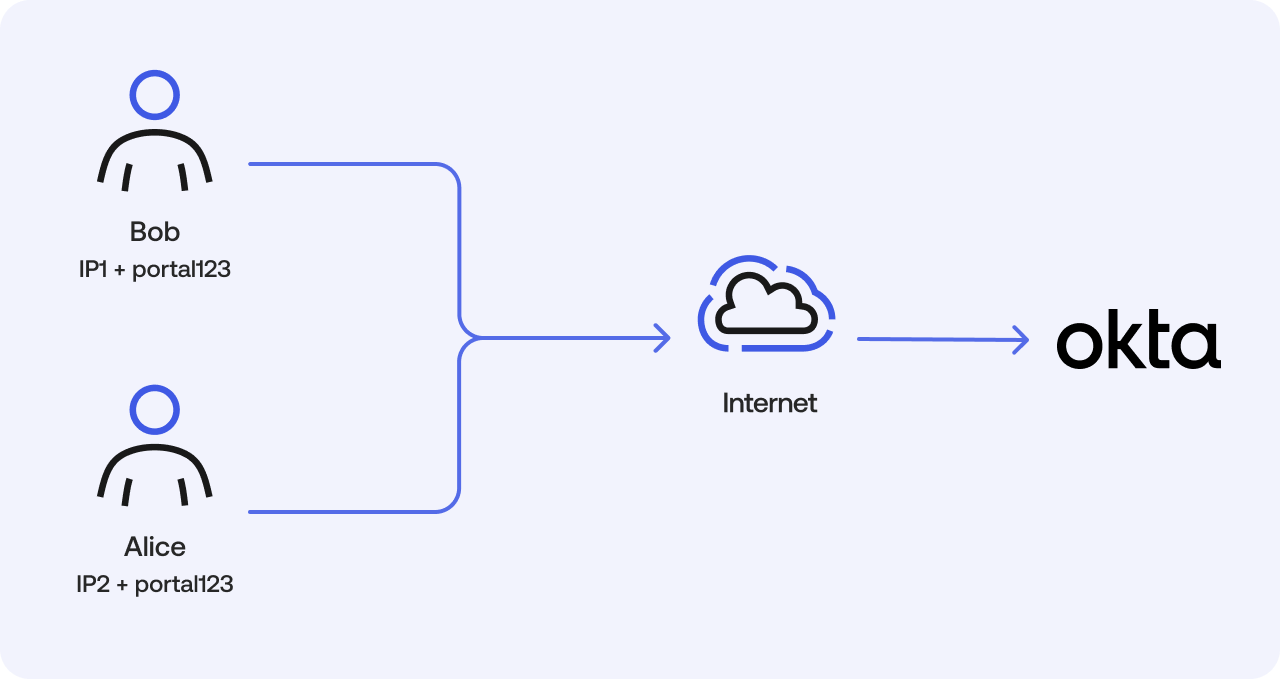
Imagine Bob and Alice are working from home with distinct IP addresses. They both access the same company portal (clientID: portal123).
- Bob's limit: Based on (IP1 + portal123 + Device1 ID)
- Alice's limit: Based on (IP2 + portal123 + Device2 ID)
If the org-wide limit for the /authorize endpoint is 2,000 requests per minute and Bob runs a script that makes 2,000 requests, the following happens:
Without client-based limits: Bob consumes the entire org-wide limit. Both he and Alice are blocked with HTTP 429 errors, and all clients seeking to access the app are disrupted.
With client-based limits enabled: After Bob exceeds his individual 60-request limit, only requests from his specific client combination are blocked. Alice and any other clients can continue to access the app without any issues.
Scenario 2: Users behind a corporate firewall (NAT)
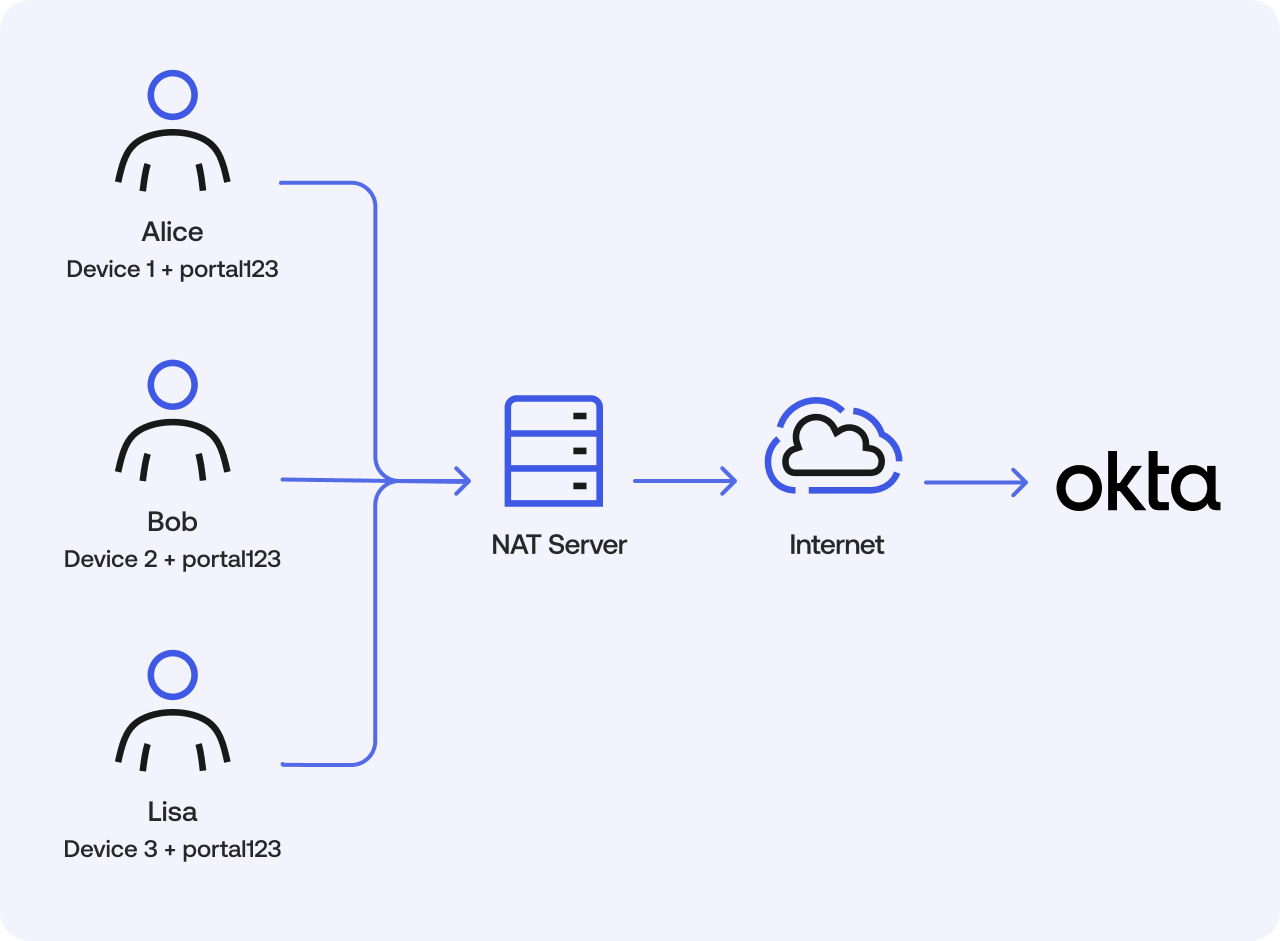
Now imagine Alice, Bob, and Lisa are in the same office, sharing a single Network Address Translation (NAT) IP address. Because the device identifier is unique to each user's browser, Okta can still provide individual rate limit buckets.
- Alice: (NAT IP + portal123 + Device1 ID)
- Bob: (NAT IP + portal123 + Device2 ID)
- Lisa: (NAT IP + portal123 + Device3 ID)
This ensures that even when sharing an IP address, one user's activity won't impact the others.
Note: The device identifier is derived from a cookie (
dtcookie) that Okta sets in the browser. Client rate limiting only applies to APIs where the client is expected to be using a browser. If any non-browser client calls the feature client rate limits will still apply but the device identifier portion of the client’s profile will be blank.
Handle proxies
If requests are made from behind a proxy, it's important to configure those IPs as trusted proxies (opens new window) in Okta. This allows the rate-limiting framework to correctly identify the true client IP address from the request headers.
Configuration and monitoring
The client-based rate limit framework can operate in one of three configuration modes:
| Mode | Description |
|---|---|
| Enforce and log per client | (Recommended) This is the default setting. The rate limit is based on client-specific values, and violation information is logged as System Log events. |
| Log per client | The rate limit is based on the org-wide values, but client-specific violation information is still logged. This allows you to analyze the potential impact without actively blocking requests. |
| Do nothing | (Not recommended) Rate limits aren't enforced at the client-specific level; only org-wide limits apply. No client-specific events are logged. |
This setting can be changed by going to the Admin Console:
- Go to Reports > Rate Limits.
- Select the Settings tab.
- Under the Client-based rate limiting section, choose the desired mode.
Monitor and take action
When enforcement is active, monitor the System Log for the following events:
system.client.rate_limit.violationsystem.client.concurrency_rate_limit.violation
If you see sporadic events from a few users, it may indicate scripted or automated activity that you can choose to investigate. If you see widespread events from many users, it could point to a broader app issue that needs to be addressed.
Check limits with API headers
When client-based rate limiting is in enforce mode, the API response headers reflect the client-specific limit, not the org-scoped bucket rate limit. However, the org-scoped bucket rate limit still applies. When the cumulative total request or maximum concurrent requests from every unique client exceeds the org-scoped bucket rate limit, your Okta org experiences org-wide rate limit violations.
X-Rate-Limit-Limit: The 60 requests/minute ceiling for the specific client.X-Rate-Limit-Remaining: The number of requests left for that specific client.X-Rate-Limit-Reset: The UTC epoch time when the client's limit resets.
